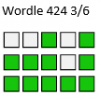
Wordle
- Thread starter JC91
- Start date
-
Please bear with us on the new site integration and fixing any known bugs over the coming days. If you can not log in please try resetting your password and check your spam box. If you have tried these steps and are still struggling email [email protected] with your username/registered email address
-
You are using an out of date browser. It may not display this or other websites correctly.
You should upgrade or use an alternative browser.
You should upgrade or use an alternative browser.
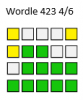


Great streak marra, long may it continue...Wordle 423 4/6
203 not out atm.
Wordle 423 4/6
Try again
Ah well. 4 for me. Picture won’t work

Using a mobile phone, to get the image to appear without letters on here, in Wordle you share full text. Then paste here. You then screen shot the image on here. You edit the screen shot down to the size of just the image required and save the image. You delete out the image on here and then Upload a File and select your saved image. Takes a moment or two to do. Good luck

See Best uncapped Keeper guide below for those using a laptop

Last edited:

Best uncapped Keeper
Well-Known Member
Tricky!
Wordle 423 4/6
not sure why it hasn’t copied properly. Anyway
1 x Hughie and 1 x Juicy
Then 1 x Juicy
Then 2 x Hughies and 1 x Juicy
Then got it in 4
not straightforward!
Mine dosnt copy at all
If you're doing it on a laptop for some reason after your initial paste into "post reply" you need to hit the "windows" key and "Prt Sc" together, paste into a paint program (the one in windows works as well as any) then frame the chart and hit cut. You then paste this into your reply and delete the original. You can replace with the neater one by replacing with the thumbnail. It sounds complicated but once you've done it it's straightforward and takes a lot less time than my one finger typing took to type this. Good Luck.Wordle 423 4/6
203 not out atm.
Wordle 423 4/6
Try again
Ah well. 4 for me. Picture won’t work
Sorry BB not meaning to duplicate but you must have posted while I was typing
Good info as my example is from how easy it is using a mobile phoneIf you're doing it on a laptop for some reason after your initial paste into "post reply" you need to hit the "windows" key and "Prt Sc" together, paste into a paint program (the one in windows works as well as any) then frame the chart and hit cut. You then paste this into your reply and delete the original. You can replace with the neater one by replacing with the thumbnail. It sounds complicated but once you've done it it's straightforward and takes a lot less time than my one finger typing took to type this. Good Luck.
Sorry BB not meaning to duplicate but you must have posted while I was typing

First time back for a while. It showed with a less than impressive 5.

Thanks for the info. Sounds simple enough.


Thanks Lads for your guidance, much appreciated. Sounds trickier than doing Wordle itself!Great streak marra, long may it continue...
Using a mobile phone, to get the image to appear without letters on here, in Wordle you share full text. Then paste here. You then screen shot the image on here. You edit the screen shot down to the size of just the image required and save the image. You delete out the image on here and then Upload a File and select your saved image. Takes a moment or two to do. Good luck
See Best uncapped Keeper guide below for those using a laptop

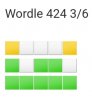

I thought I had an easy 3 but chose a word I've never used instead. Par 4.

Somehow got it in a rather disappointing six today.

my second 2..i'm on a role
C
Chunksafc
Guest

Pair of 4s here, straightforward really.